Building a plaftormer with Construct 3
When I decided to make a game with my nephew a couple of years ago, my first decision was choosing what engine to use. I knew I wanted something simple and easy that would allow for rapid iteration - a kid’s attention span isn’t exaxtly the longest, so I had to be able to implement things quickly. Also, the engine only needed to support 2D games, which was our target.
I knew about Unity and Godot, but they were more complex and would take longer to get started with. I really liked PICO-8 ⤴ (for which I made Cat Catcher 0), but that was too limited to realize my nephew’s vision. I thought GameMaker would be a good choice, but I tried Construct 3 ⤴ and was fascinated by its ease of development. It runs entirely in your browser, from development to running the game, which was also very convenient. I decided to give it a try and paid the annual subscription fee on May 1st, 2024.
From idea to game in record time
I immediately started tinkering and experimenting with the engine. I loved how easy it was to import graphics, animations, music, and all sorts of assets into projects. Just import a file into the project and drag and drop it into your game - done. In a matter of a few days, I had a prototype with controls, animation, an enemy and a rudimentary background. Cool!
Unfortunately that’s the only development video I recorded, and it was at a very early stage.
It’s amazing how quickly you can implement an idea. There are a lot of predefined behaviors for objects, like “platform”, “bullet” and “8-way direction”, each with predefined settings that make it a breeze to add something and tweak it to your needs. Making a platformer prototype is as simple as adding some tiles, giving them a “solid” behavior, and attaching the “platform” behavior to your player character. They will have movement, jump, gravity, acceleration and deceleration, all implemented out-of-the-box.
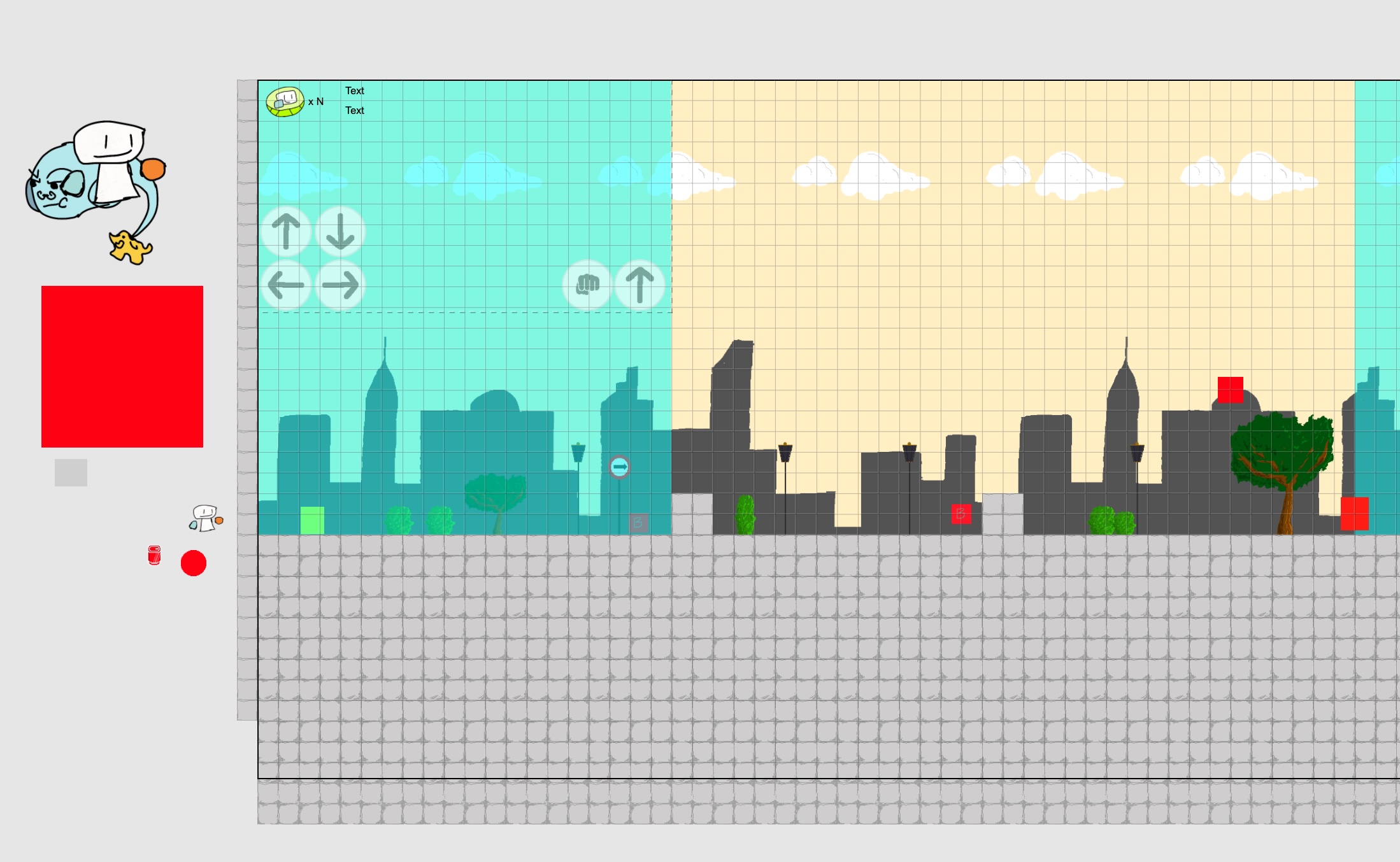
The integrated IDE is well-crafted and creating level layouts is very intuitive if you have already worked with graphic software like Photoshop. You have layers, z-ordering, transparency, visual effects, offsets, etc.
But annoyances also came quickly
Development was very quick at first, but soon enough I started encountering little annoyances and problems - the annoyances and idiosyncrasies of the engine. The first and most important thing I should mention is that Construct primarily uses a graphical, event-based programming style. I guess it’s kinda like Scratch but aimed at adults.
I develop software for a living, and I’m so much more used to writing code than clicking and dragging boxes around. It was fine at first, when there was only one enemy and not much game logic, but as things grew in complexity, so did the event sheets. Things started to get unwieldy. Spaghetti code is bad, but imagine events inside events inside events, with conditions inside conditions, and things get out of hand very easily. Of course, like in traditional software development, there are ways to modularize and make “code” cleaner, but I find it more complicated when I have to drag and drop stuff around instead of putting code exactly where I want it.
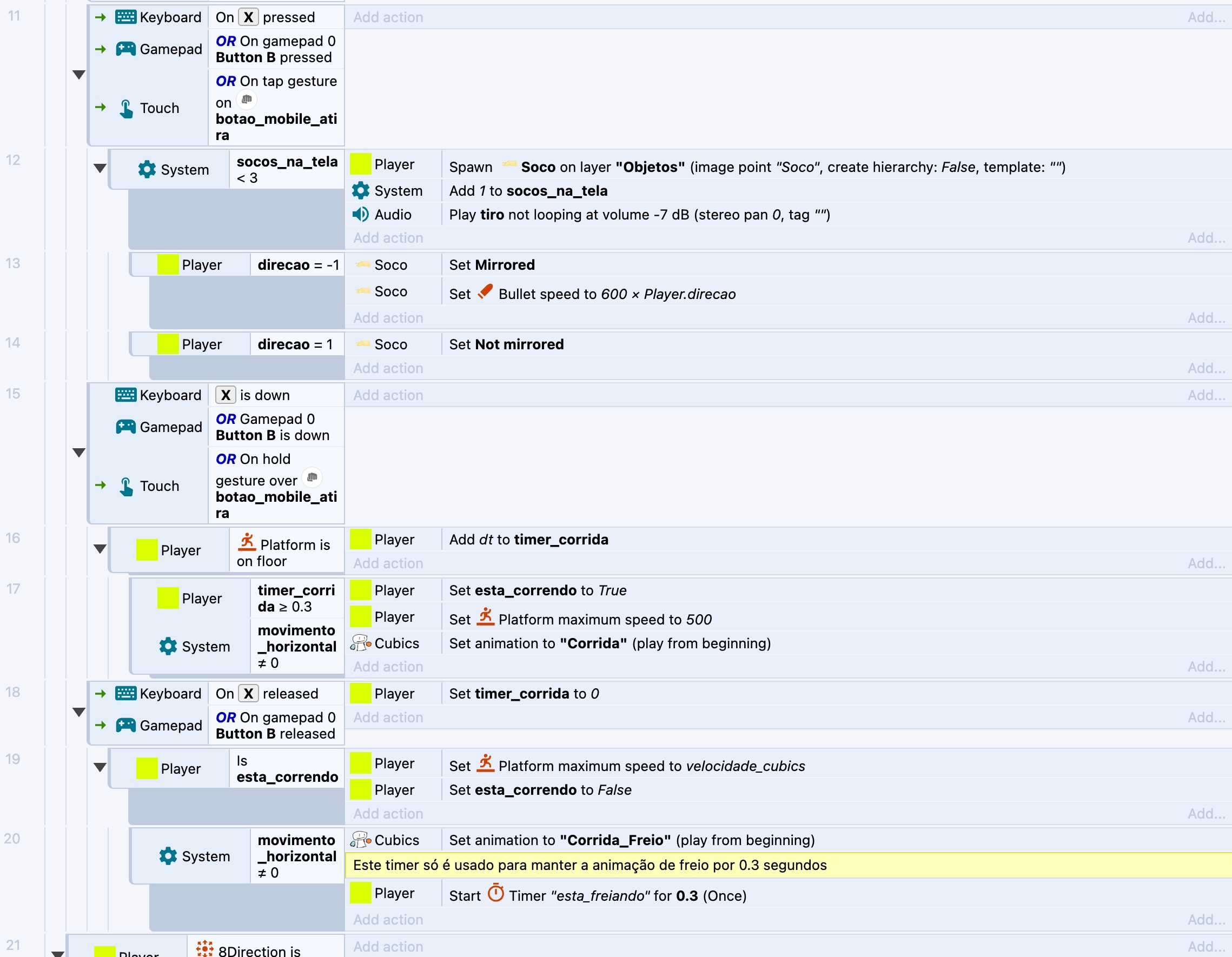
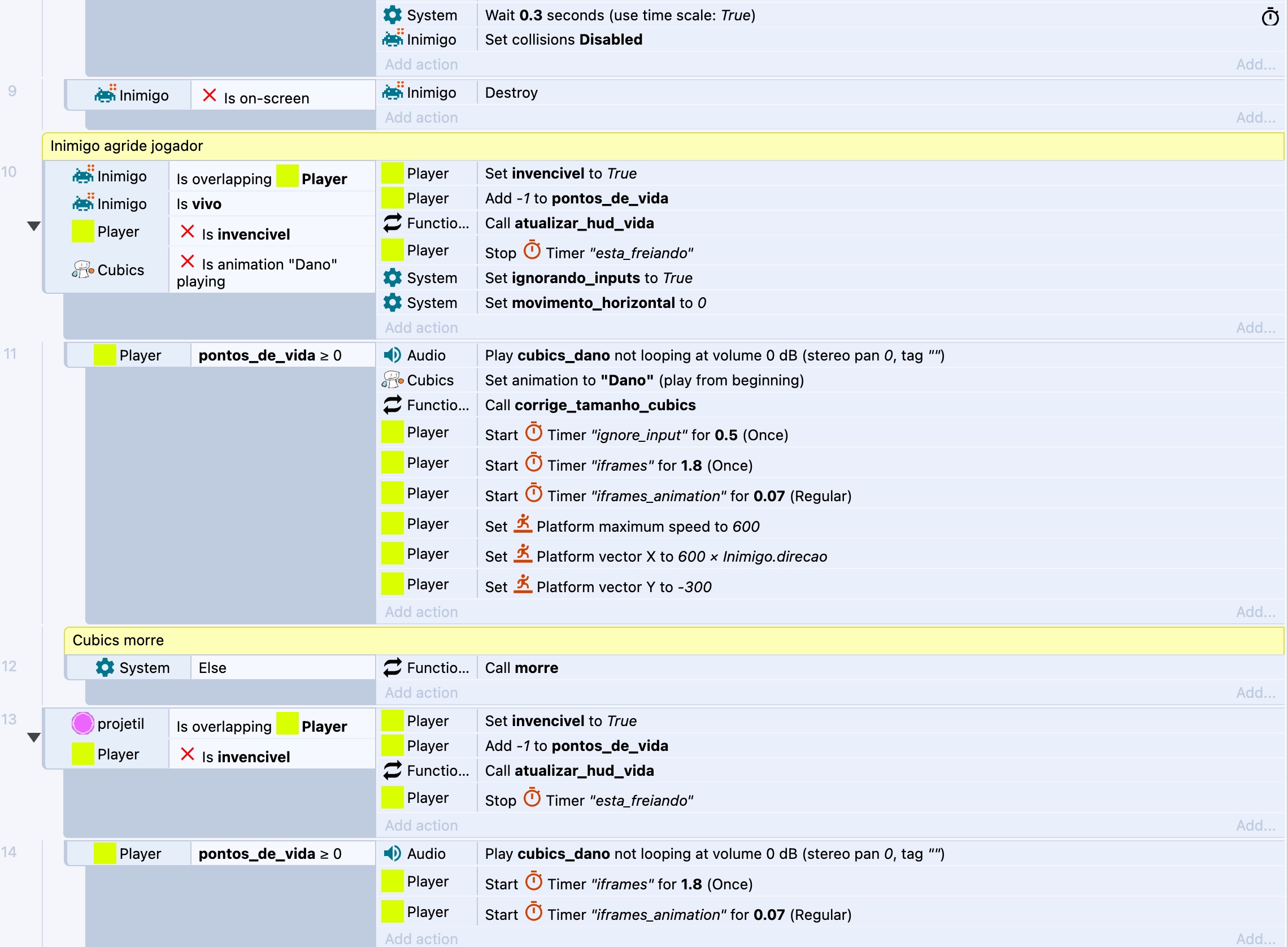
Another thing I found really confusing was object picking. In a traditional engine, if you needed to select a specific object in the game, you’d have something like “Get me instance X of this object”. In Construct, you have conditions, e.g. an enemy instance is touching the player instance. When that condition is met, the instance that’s “picked” is the one that triggered the condition. In all the following events inside that condition, that’s the instance that will be selected. It works well for simpler cases, e.g. a bullet hits an enemy, player collides with item, but what if you want to check when two instances of the same class are interacting? Or what if you need to do something with all the instances of a class? What if you need to loop over something? This is all doable, of course, but it’s not as straightforward as having two instance1 and instance2 variables.
This segues into another point: sometimes it’s hard to understand how the events are executed. The docs say everything runs from top to bottom, but some events break that flow (e.g. the “wait” command). You have loops, but they also make execution more complex. Also, you have functions, but due to the object picking shenanigans mentioned before, I found it so confusing to understand how parameters are passed and values returned. Also, data structures, even simple ones like arrays, are very clunky to use. Anything more complex than arrays would essentially need JavaScript coding, which is an option, but I feel it kind of defeats the purpose of the engine. If I have to write some JavaScript code, I might as well be working on a code-centric engine.
Last but not least is that Construct is closed source and has a paid subscription model, which I think is a con when you have other engines like Unity and GameMaker, which are free for small game developers, or Godot, which is completely open-source.
Conclusion
Construct 3 has many great qualities: it’s easy to learn and use, it’s browser-based and you can work from any computer, the UI is simple and well designed. It’s a capable engine in the right hands. Some examples of great games developed in it are Iconoclasts ⤴ and Small Saga ⤴, both of which I enjoyed and are very well made.
However, in the end, the engine’s idiosyncrasies started to annoy me more than the ease of development helped me. I guess I prefer more traditional engines, or at least one where I can interact with code and its innards more directly. I’m thinking of trying GameMaker next.
Links
- Game engines
- Some games made in Construct
Post revised with ChatGPT